
Planet X 3D Live Wallpaper1.0 - Google Play
You'll be able to see results in few seconds.
Publisher Description
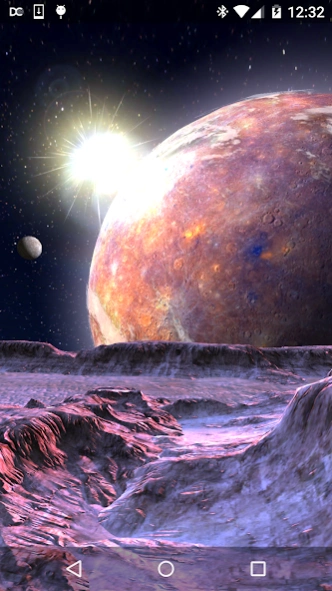
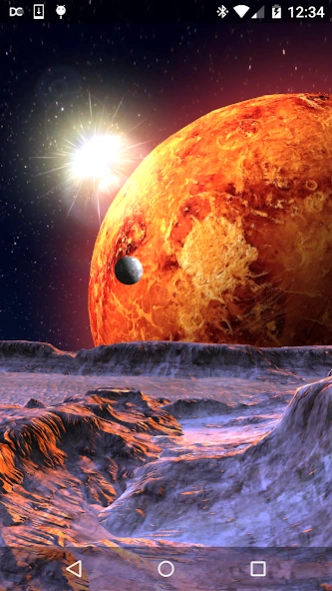
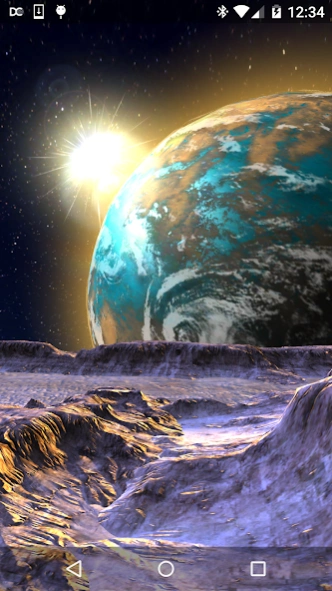
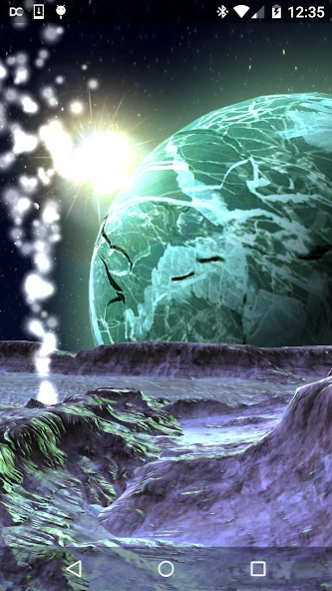
A view of Planet X, up close and personal!
Some feel there is a mysterious planet lurking within our solar system, Planet X.
Also known as Nibiru, it is believed to be a harbinger of doom, a dark disruptor of our own Earth.
Take a ride on the surface of one of it's moons and see for yourself what Planet X might look like, if it does really exist.
You can choose between five different surfaces for Planet X to experience what Planet X might resemble in the cold, dark void of deep space.
Features:
• Highly detailed graphics
• Five different Planet X surfaces
• Randomly change the surface of Planet X and/or the Moon Terrain every 5, 15, 30, or 60 minutes
• Three different moon terrain surfaces
• Choose between the Slide Camera and the Gyroscope Camera (if your device supports a gyroscope)
• Turn Ice Geysers on or off
• Turn Clouds on or off on Planet X
• Choose between one, two, or no moons in the sky
• Choose to orbit your moon around Planet X
• Choose the orbital speed of your moon and the moons in the sky, independently
• Control the rotation speed of Planet X
When setting the wallpaper, please wait a few seconds AFTER the logo disappears to hit the "Set Wallpaper" button to avoid errors.
Please send any technical issues to screamingsnailstudios@gmail.com. Unfortunately, issues cannot be solved through the comments system.
Planet Type 4 and Type 5 Textures by Robert Stein at:
http://freebitmaps.blogspot.co.il/
Used under Creative Commons License 3.0:
http://creativecommons.org/licenses/by/3.0/us/legalcode
About Planet X 3D Live Wallpaper
The company that develops Planet X 3D Live Wallpaper is Screaming Snail Studios Inc.. The latest version released by its developer is 1.0.
To install Planet X 3D Live Wallpaper on your Android device, just click the green Continue To App button above to start the installation process. The app is listed on our website since 2016-01-10 and was downloaded 0 times. We have already checked if the download link is safe, however for your own protection we recommend that you scan the downloaded app with your antivirus. Your antivirus may detect the Planet X 3D Live Wallpaper as malware as malware if the download link to com.screamingsnail.planetx is broken.
How to install Planet X 3D Live Wallpaper on your Android device:
- Click on the Continue To App button on our website. This will redirect you to Google Play.
- Once the Planet X 3D Live Wallpaper is shown in the Google Play listing of your Android device, you can start its download and installation. Tap on the Install button located below the search bar and to the right of the app icon.
- A pop-up window with the permissions required by Planet X 3D Live Wallpaper will be shown. Click on Accept to continue the process.
- Planet X 3D Live Wallpaper will be downloaded onto your device, displaying a progress. Once the download completes, the installation will start and you'll get a notification after the installation is finished.
Program Details
System requirements
Download information
Pricing
Version History
version 1.0
posted on 2016-01-10
Version 1.0 - Initial release
Disclaimer
Official Google Play Link
We do not host Planet X 3D Live Wallpaper on our servers. We did not scan it for viruses, adware, spyware or other type of malware. This app is hosted by Google and passed their terms and conditions to be listed there. We recommend caution when installing it.
The Google Play link for Planet X 3D Live Wallpaper is provided to you by apps112.com without any warranties, representations or guarantees of any kind, so access it at your own risk.
If you have questions regarding this particular app contact the publisher directly. For questions about the functionalities of apps112.com contact us.
